Features
Everything you need
to track your time.
Timelogger Plus is built around one idea: starting a timer should take one tap, wherever you are. Everything else helps you understand those hours and get paid for them.
Tracking
One tap to start.
One tap to stop.
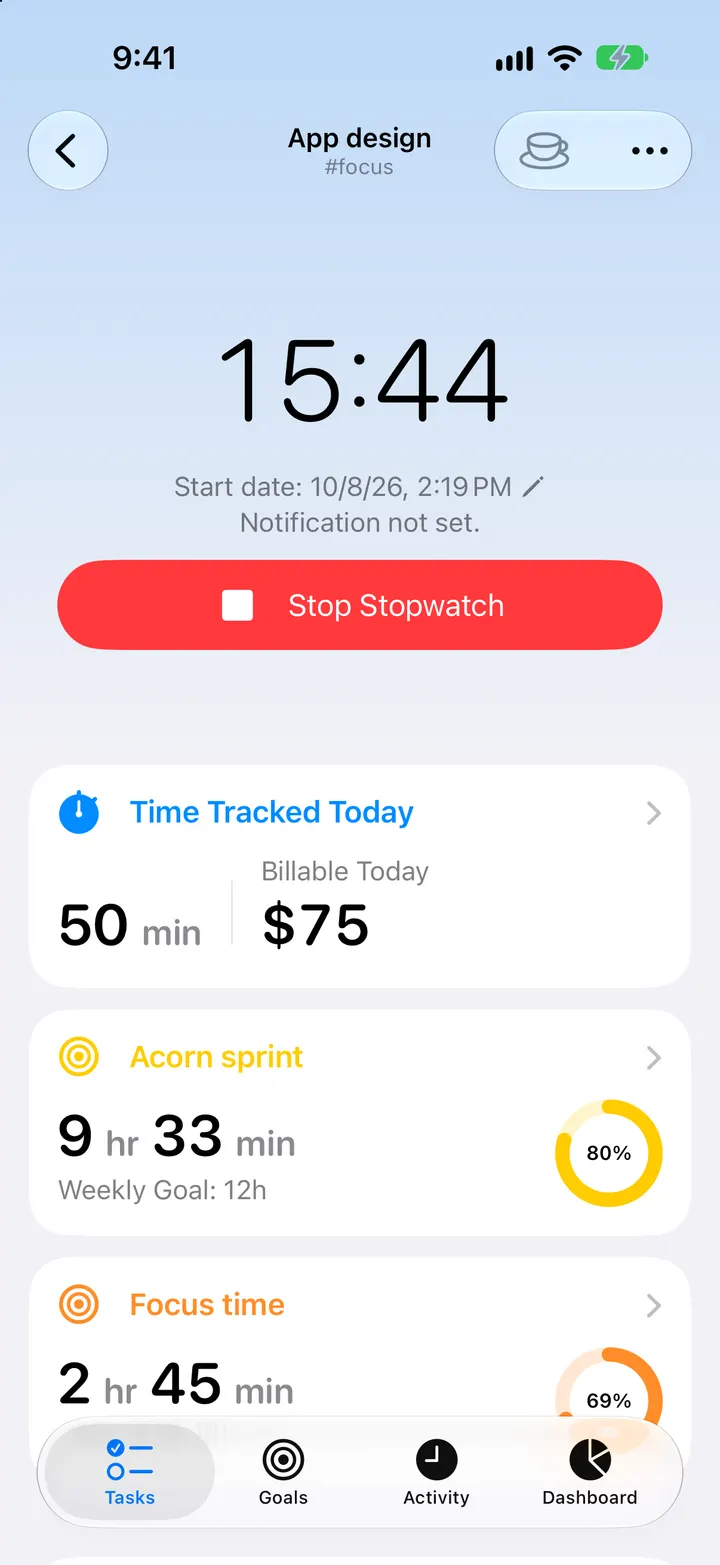
Each task has a stopwatch. Run several at once, or switch to single-stopwatch mode so starting one stops the other. Add events and notes for time you tracked on paper, edit a start or end time when you forget, and pin one end while you change the duration.
- Multiple stopwatches or single-stopwatch mode (Premium)
- Manual events and notes
- Edit start and end times, or pin one and change the duration
- Discard entries shorter than a minimum you choose (Premium)
Organize
Folders for clients,
tags for everything else.
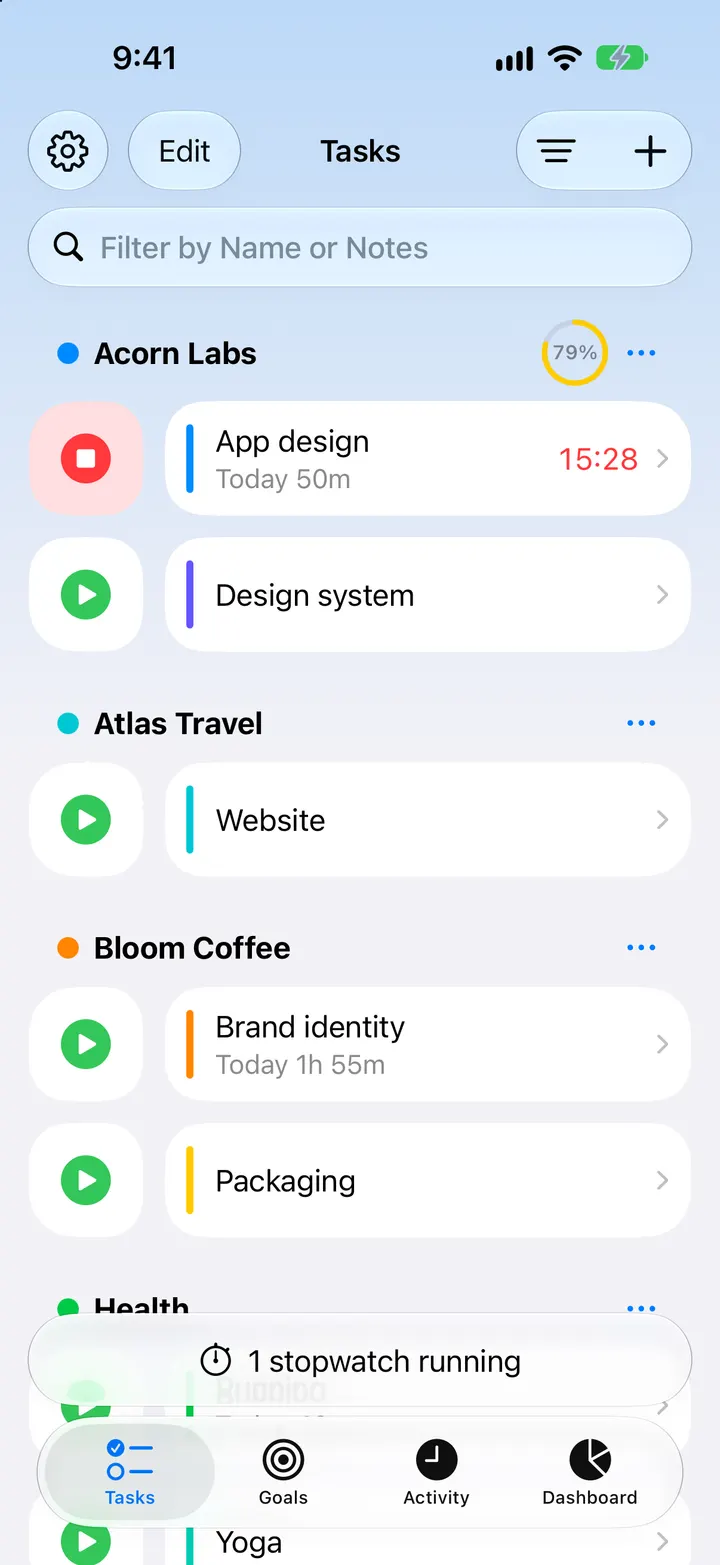
Group tasks into folders, one per client or project, and add tags to tasks and entries to slice your time another way. Archive what's finished and bring it back when the client returns.
- Folders with colours and their own hourly rate
- Tags across tasks and entries
- Archive and recover tasks, folders and entries
Dashboard
See where
your week went.
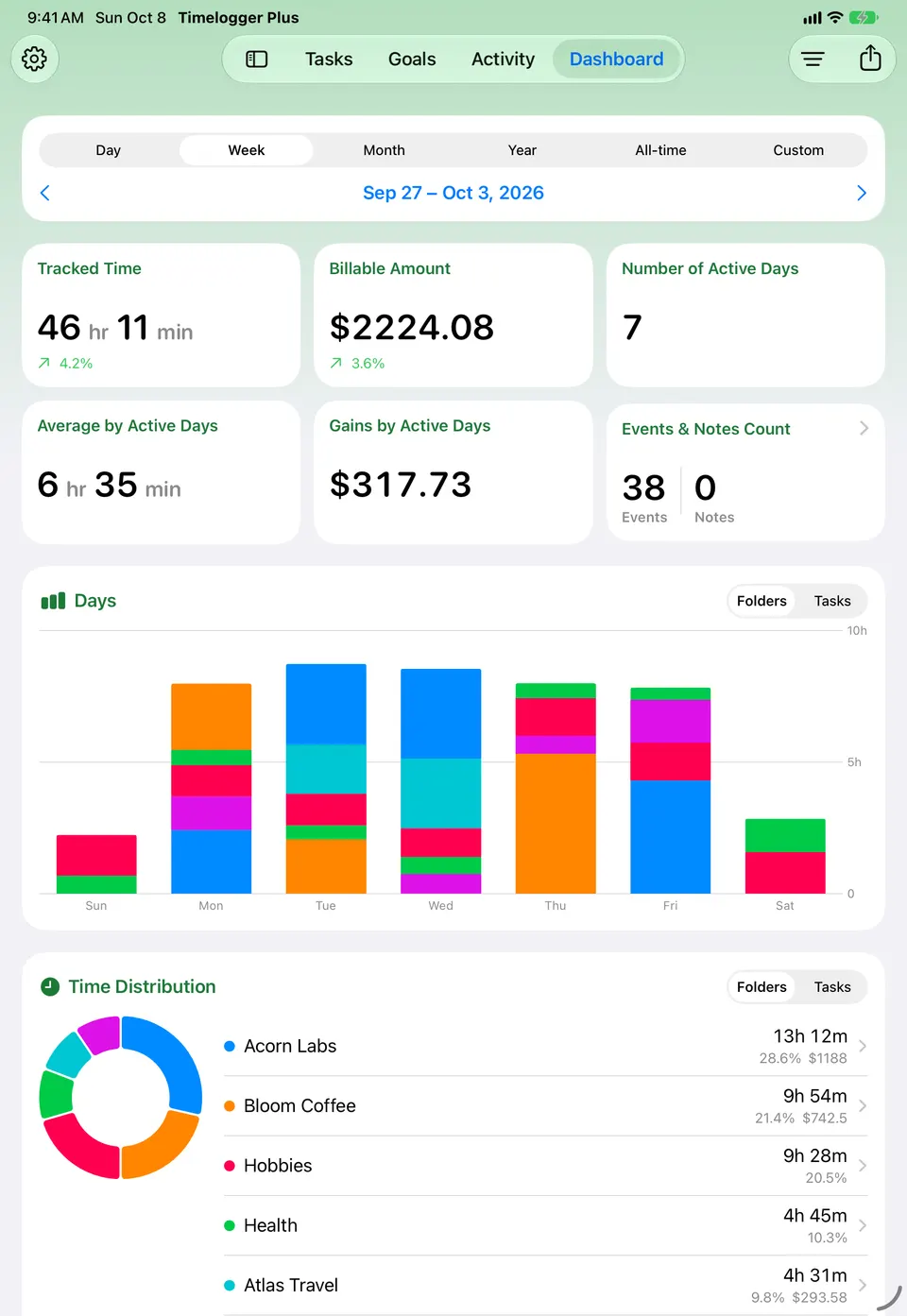
Pick a day, week, month, year, all time or a custom range, and step back through earlier periods. Each figure compares itself with the period before. Filter by folder or task, include archived items, and jump straight to a date.
- Tracked time, active days and average per active day
- Charts of hours per day or per month
- Distribution by task and by folder
Goals
Build habits
that stick.
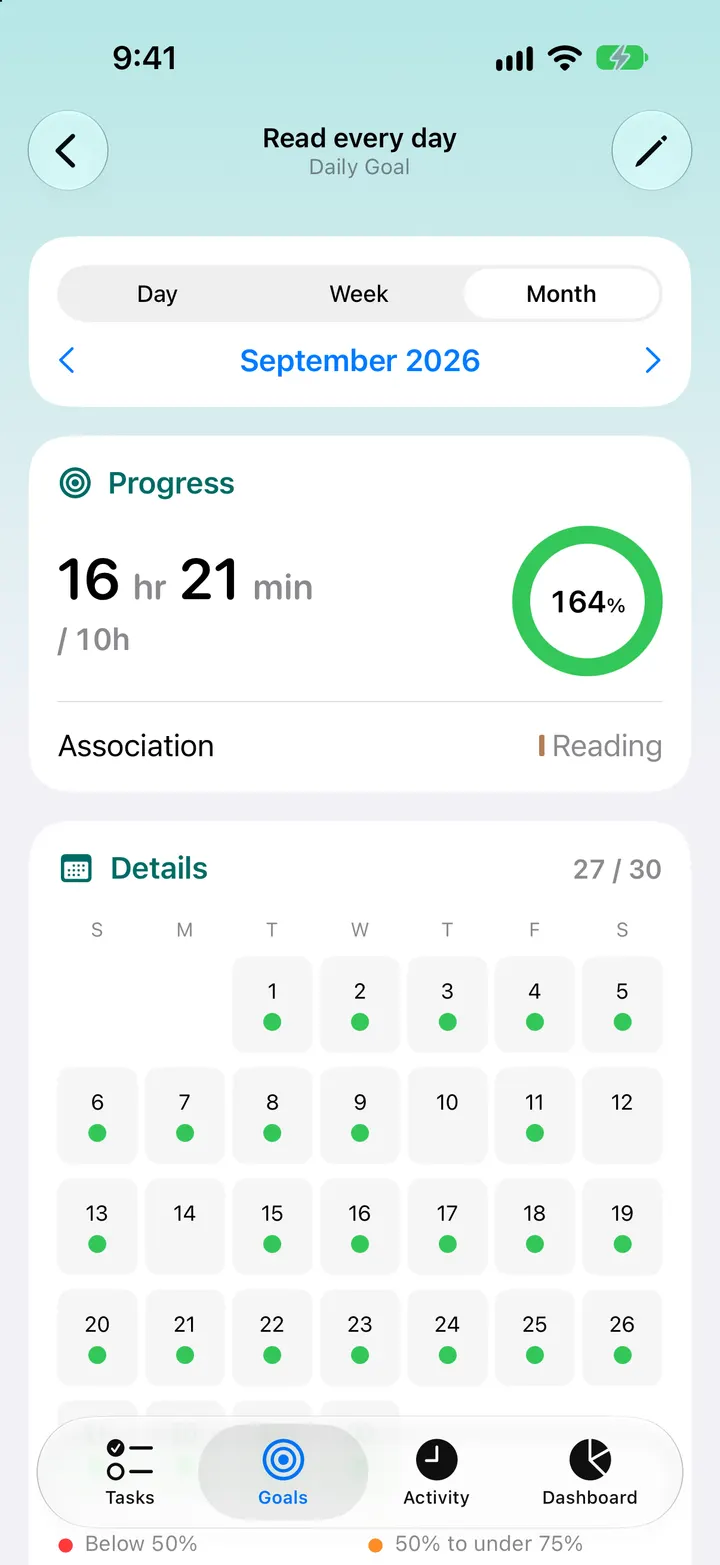
Set a daily, weekly or monthly goal for a task, a folder or everything you track, with durations beyond 24 hours when you need them. Choose which weekdays count, and watch progress on a calendar.
- Daily, weekly and monthly goals
- Custom weekdays (Premium)
- Progress rings and calendars
Billing & reports
Know what
each hour earned.
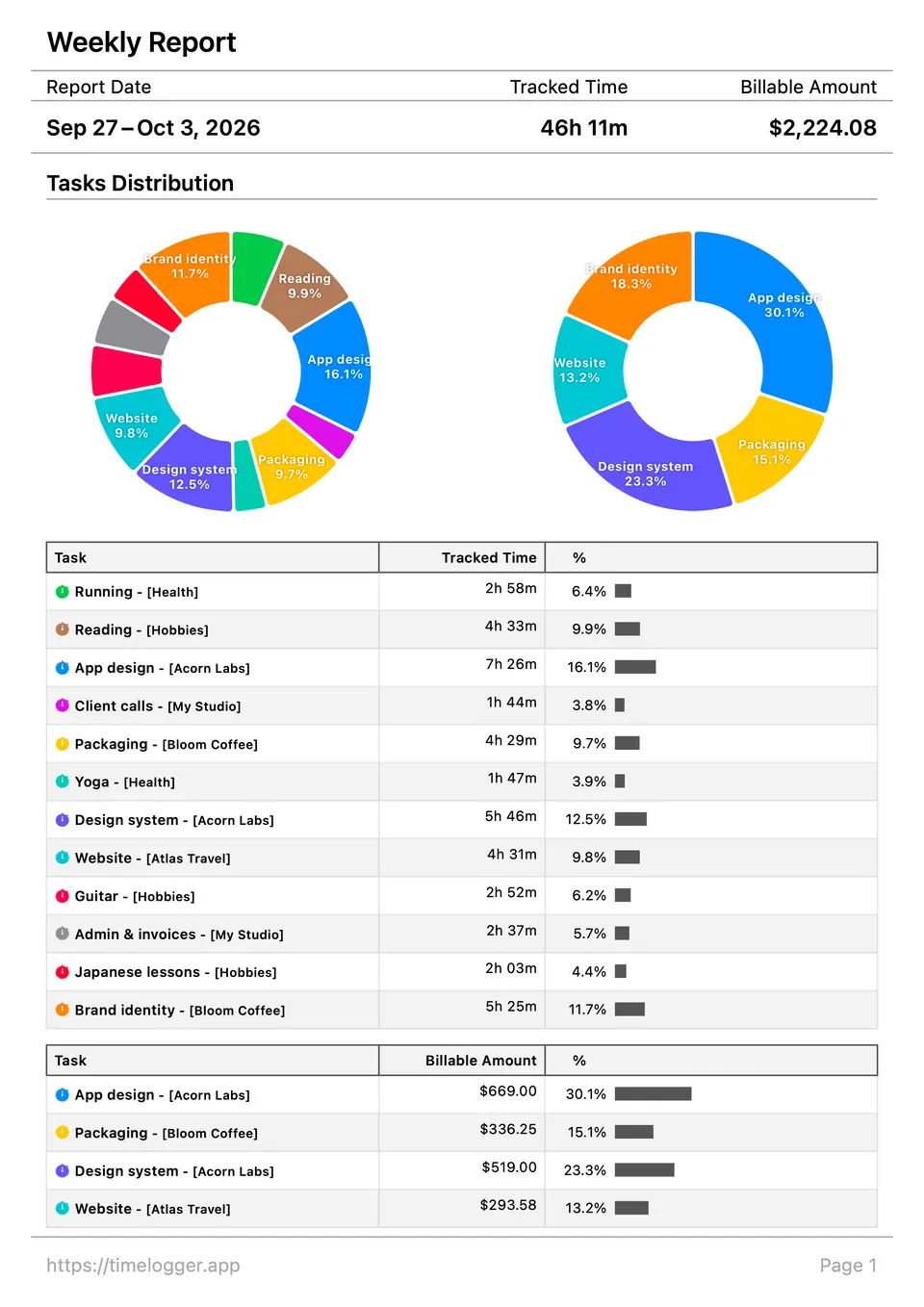
Set an hourly rate on a task or a folder. The dashboard adds up billable amounts as you work, and reports show hours and earnings by task, by folder or by day, as a PDF for a client or a CSV file for a spreadsheet.
- Hourly rates per task or folder (Premium)
- PDF reports with or without billing
- CSV export, and CSV import (Premium)
Widgets & Live Activities
Your timers,
outside the app.
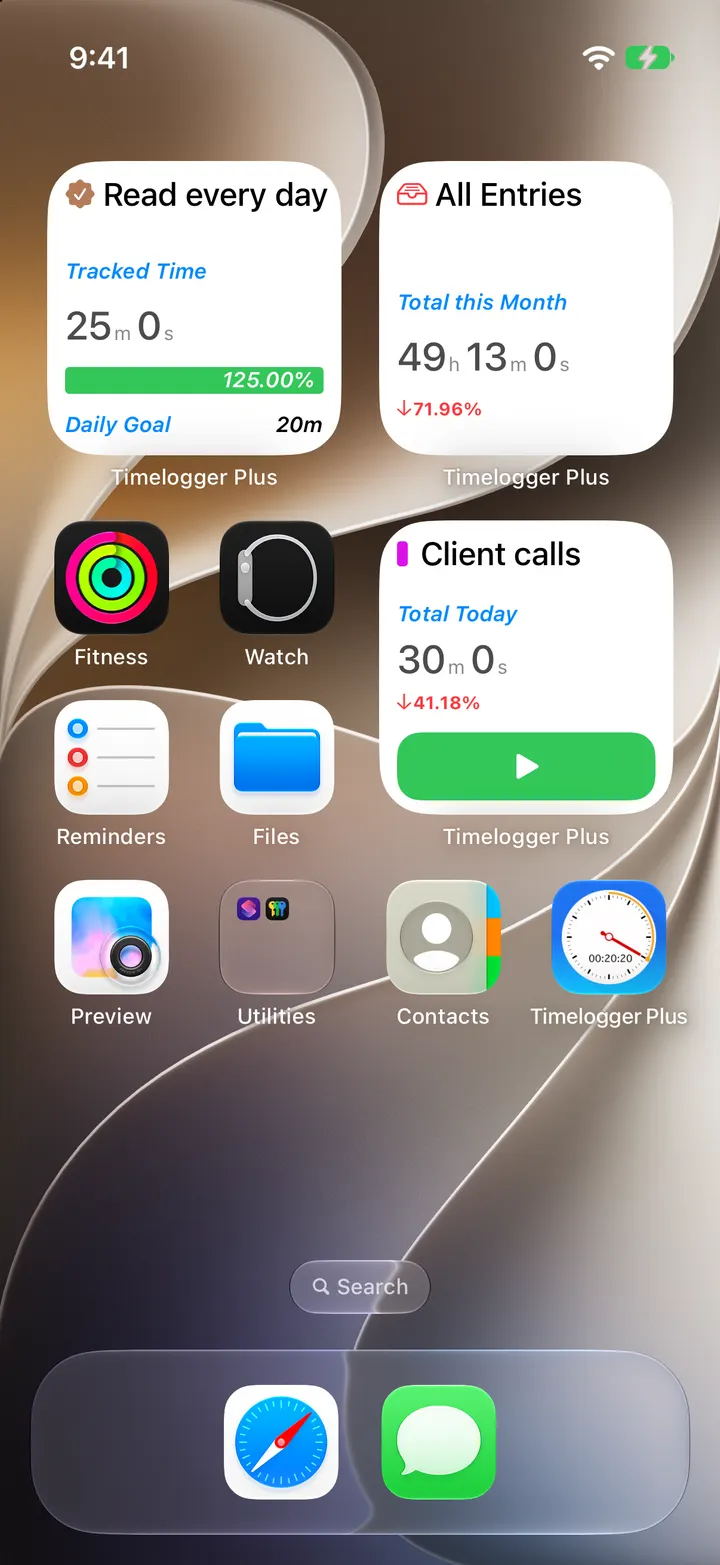
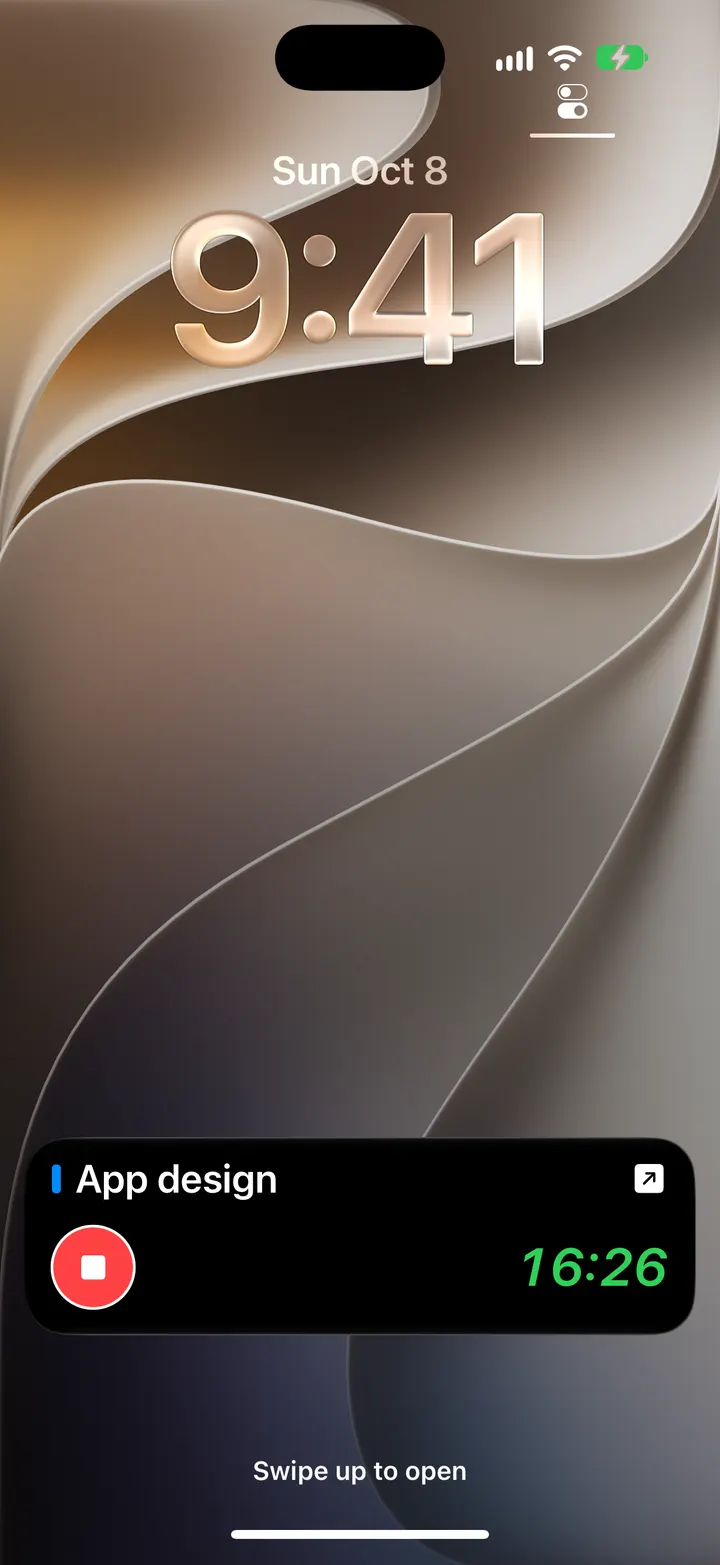
Interactive widgets start and stop stopwatches from the Home Screen, the Lock Screen and StandBy. A running stopwatch appears as a Live Activity on the Lock Screen and in the Dynamic Island, with a button to stop it.
- Home Screen, Lock Screen and StandBy widgets
- Live Activities and the Dynamic Island
- Goal, total, distribution and recent-entry widgets
Shortcuts
Automate
the routine.
Twelve Shortcuts actions start and stop stopwatches, create tasks, folders, events and notes, and get reports and totals for any period. Start your work timer when you arrive at the office, or stop everything at the end of the day.
- Start or stop a stopwatch, or stop them all
- Create tasks, folders, events and notes
- Get a report or totals for a period
Sync & backups
Everywhere,
in your iCloud.
Premium syncs your tasks and entries through your own iCloud account, so your iPhone, iPad and Mac show the same day, and your Apple Watch follows your iPhone. Make a backup file whenever you like, and restore it on any device.
- iCloud sync (Premium)
- Backup and restore files
- No account to create
Accessibility
Comfortable
to read and use.
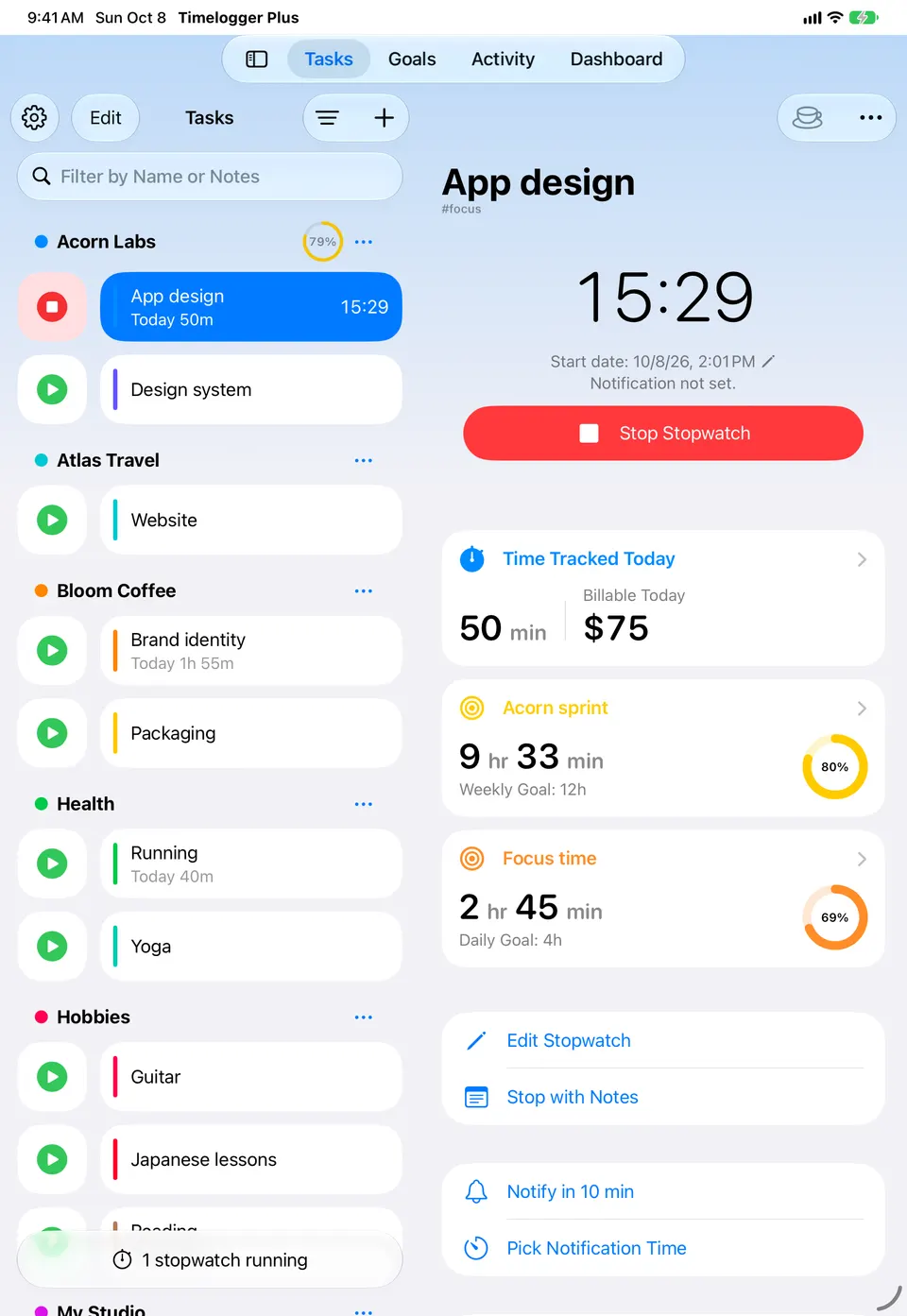
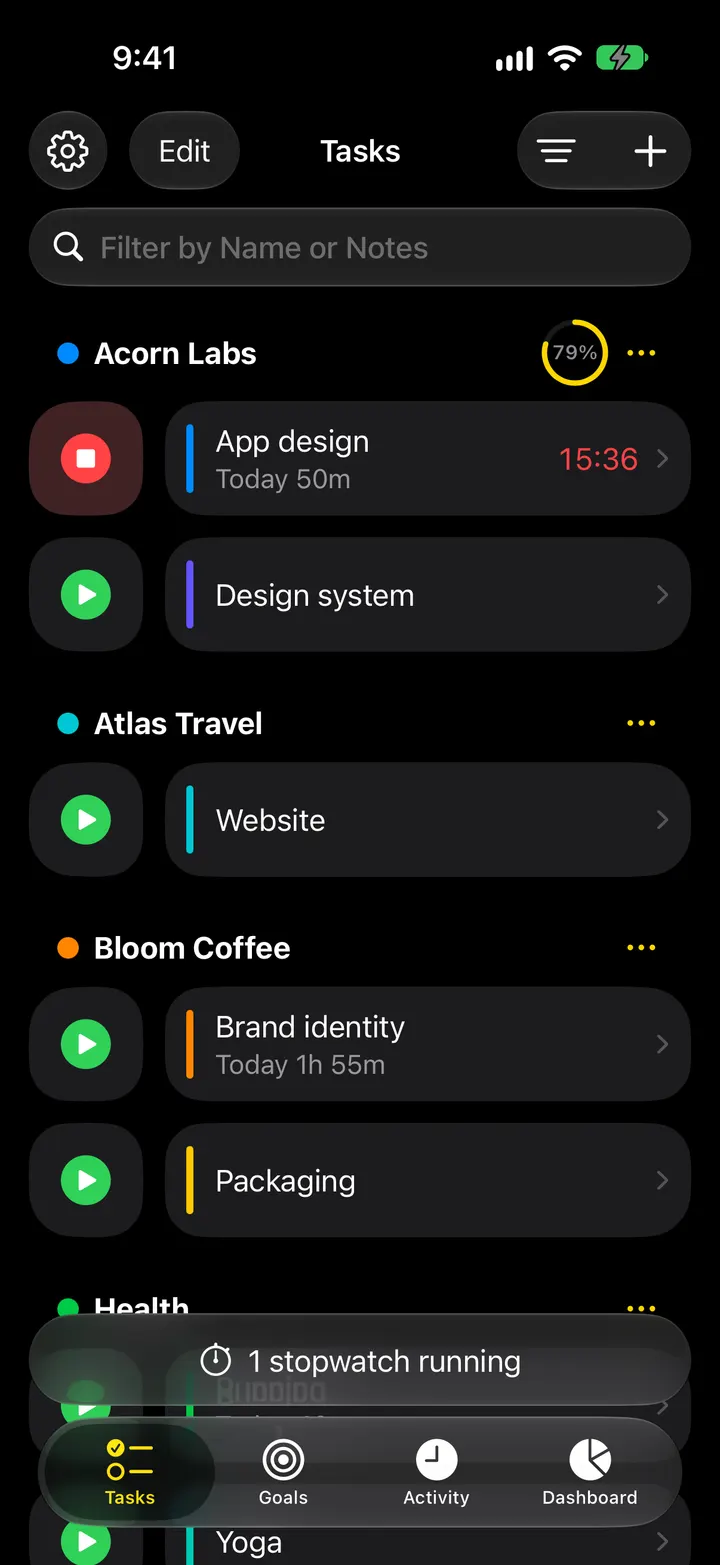
Text follows your Dynamic Type size, the app follows Light or Dark appearance, and every control is labelled for VoiceOver. On iPad and Mac, the layout uses the extra space for a sidebar and details side by side.
- Dynamic Type and VoiceOver
- Light and Dark appearance
- Split View, Stage Manager and multiple windows
Every hour,
accounted for.
Free to download. Premium adds iCloud sync, hourly rates and more, monthly, yearly or once for life.