News
What's new in Timelogger Plus 3
A new look with Liquid Glass, a native Mac app, iPhone Duo support, more flexible goals, precise time entries, a clearer Dashboard and Italian.
Timelogger Plus 3 is the biggest update since the app launched in 2016. I rebuilt it for the newest Apple software, and it now runs as a native app on every device it supports, Mac included. These are the changes you’ll notice first.
A new look with Liquid Glass
Navigation, controls and toolbars use the translucent Liquid Glass design of iOS 26 and macOS 26. Tasks, goals and the Dashboard each have their own colour, so you know where you are at a glance.
Made for iPad and Mac
On a larger screen you get a sidebar for your folders and tags, with a task or goal open beside the list. The Dashboard and Activity use the extra room. On the Mac, Timelogger Plus is a native app with menus, keyboard shortcuts, widgets and a stopwatch in the menu bar.
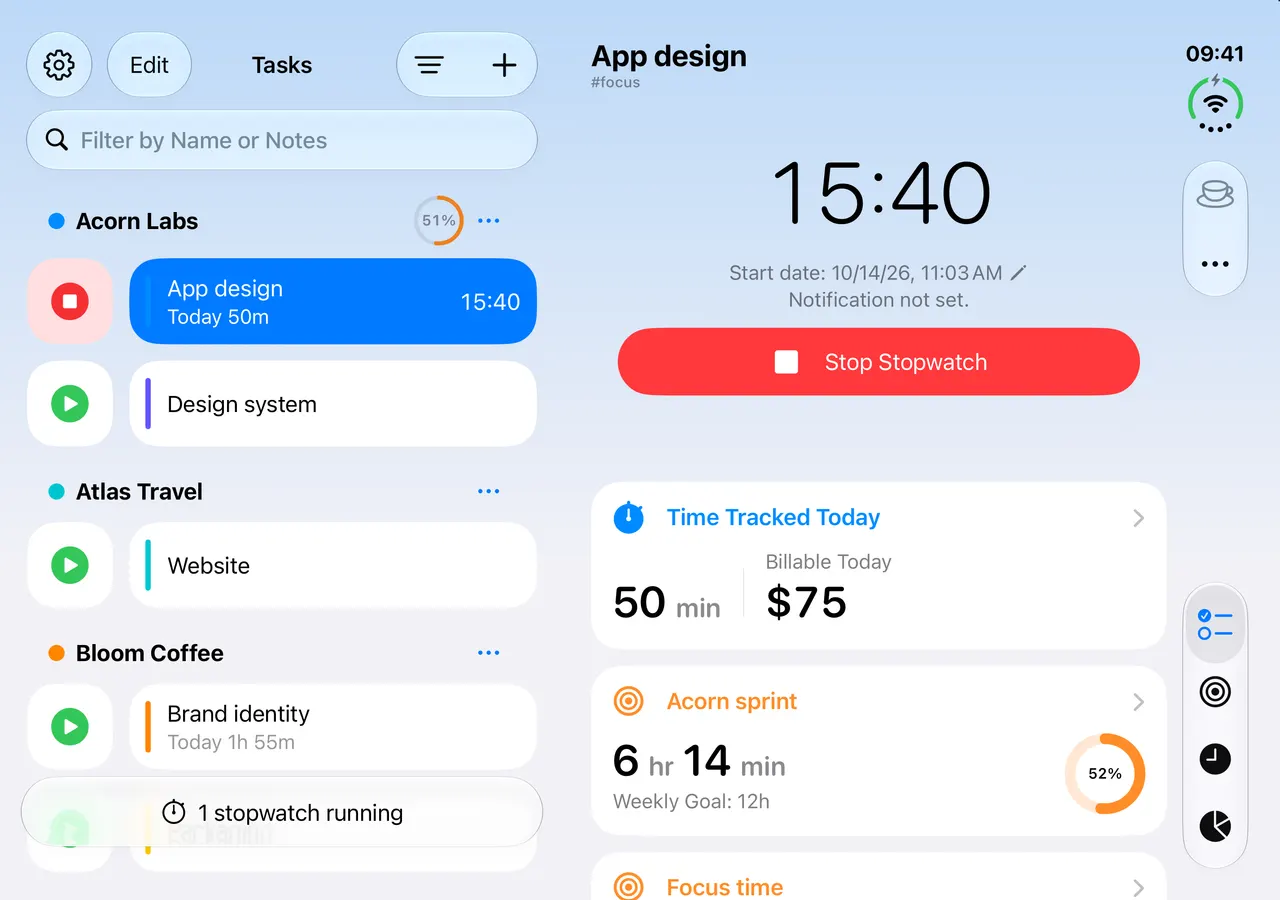
iPhone Duo, closed and open
On the outer display you get quick timers and task details. Open the Duo, and the task stays where it was while the list appears beside it. I wrote about designing for the fold separately.
More flexible goals
Weekly and monthly goals can now go beyond 24 hours, so “40 hours a week” finally works. Calendars and percentages show your progress more clearly.
Precise time entries
Edit a duration in hours, minutes and seconds. Pin the start or the end, and the other updates as you change the duration.
A clearer Dashboard
Refined charts and layouts, filters for tasks and folders, the option to include archived items, and a way to jump straight to a date.
Also new
- Italian, across the app, the widgets and the Apple Watch.
- A Task Distribution widget that shows how today’s time splits across your tasks.
- A new Apple Watch app, rebuilt for watchOS 26, with complications.
Timelogger Plus 3 needs iOS, iPadOS and macOS 26 or later, and watchOS 26 or later. Your tasks, entries and Premium carry over unchanged.